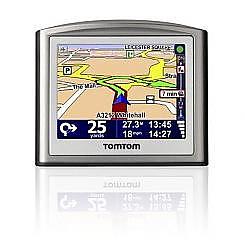
TomTom V3
Here's a quick beginners guide on how to install POI files to your TomTom Navigator or TomTom running PocketPC PDA.
Step 1.
Lets take a look at what a typical POI set might look like. They usually consist of :
 an ov2 file. (e.g. speedcams.ov2) - this is the main poi file that we want to copy.
an optional bitmap image (e.g. speedcams.bmp) - not required but if there's one available we'll want to copy this file too, it'll always have the same name as the main ov2 file.
Make note where your POIS are stored as you'll be copying them across later. Keep the window open or place these POI files in easy reach on your desktop.
Step 2.
Plug the TomTom into your PC with the USB cable and power it up. If you've installed TomTom Home on your PC it may start up now, you can close and ignore TomTom Home as we won't be using it.
Open 'My Computer' and you should see a collection of drives and devices
Find the TomTom drive, it's usually labeled 'TomTom' and it may have a TomTom icon. If the TomTom doesn't show up here, check your usb cable, try restarting TomTom or try plugging it into another USB socket on the PC. Alternatively you could remove the SD card and plug it directly into an SD card reader connected to your PC, TomTom Pocket PC users can use the SD card method or conenct via Microsoft's ActiveSync.
Step 3.
Next, open the TomTom drive by double clicking on it. Active Sync users click 'Explore'.
Identify the correct the map folder, this will depend on your TomTom version and what maps you have installed. It may look like : Great_Britain-Map', 'Western_Europe-Map', 'United Kingdom and Republic of Ireland' or 'United States' etc. etc.
Step 4.
Open the window containing the POI (OV2 and or BMP files) that you want to install from step 1 above. Select the files by clicking on them and press CTRL C. Now navigate to the map folder that you located above and press CTRL V. This will copy the files to the map directory on the TomTom, alternatively you can drag and drop these files across.
Step 5.
We're now going to enable the new POI that has just been copied across. Disconnect your GPS from your computer and turn on the TomTom.
Click :
Change Preferences | Manage (or Maintain) POI | Enable / Disable POI
and scroll down and select your new POI.
Click Done and disconnect your TomTom.
Tom Tom Poi Comments
Tomtom Phone
I get a noise like an echo sounding device when i recieve a call on my tom tom via 135
Posted by DerekMarch 28, 2013
Poi Bmps
Ok, now I found a website that says the TomTOm GOs bmps have to be 24 colors. Whatever number of colors they have to be, you can do that in Paint. When you hit Save As, look beneath where you input the filename, and change the number of colors to what you think the right number is.
Posted by RichardJanuary 8, 2012
Tomtom 300 Poi Icons
There can be 4 files, one OV2 (the POI coordinates & name), the 22x22 Bitmap Icon (some say 16 colors, others 256, so I am not sure), and another ICON bmp that is 44x44 with _X2 at the end of the filename, and a sound file. All have to have the same name exactly (with the exception of the 44x44 which has the three extra characters at the end). I believe the sound file has to be an OGG file, check elsewhere to confirm, also the number of colors 16 or 256. I am not sure if there are any spaces allowed in the filenames. Dashes and undelines will help here.
You can turn on/off whether to display them or whether to use a particular warning when you are near one of the POIs if you have the proper files. of course you can search for them along the route and a host of other choices.
Posted by RichardJanuary 8, 2012
So Easy ! ! !
Thnx
For making input of multiple co-ordinates so easy that any noob can do it in a few mins
Thnx Again
Posted by BitofaboganAugust 17, 2011
Pois Details
Does anyone know how to add details (same description) for pois on navigation??
Posted by DavidMarch 2, 2011
Thank You For Your Help
Many Thanks for your help and support, with this great website. Have now downloaded viewing sites for Scotland's Dark Sky Park on TomTom.
Posted by GallowaynightskyOctober 31, 2010
Use Paint And Resize It.
I own a tomtom one and my map is updated quarterly, connected to my PC at home. I have all sorts of non-standard POIs and created bitmap files using MS Paint, which comes with MS Windows OS. Older TomTOm uses 22x22 with 256 colours or less. Newer ones use 44x44.
Posted by SimonOctober 26, 2010
Poi Icons
save the pic name as a .bmp. Add it to the tomtom just as you did the .ov2 file. (I named mine the same to save on confusion.)
Posted by UnknownJune 22, 2010
Photoshop Alternative
paint.net is a good free image editor.
Posted by SomeguyMay 16, 2009
256 Cols And Resizing
Photoshop will do this. Just click Image / Mode to convert to 8bit (256 cols) and then Image / Resize. You'll probably also need to save as BMP
There are hundreds of other image editors around that will do the same thing.
Posted by DavidNovember 18, 2008
How Do I Change The Size To 22 X 22 And Change Coulour To 256?
What program do i use to? and how
Posted by JoeNovember 9, 2008
Re:poi Icons
Newer Tomtom's will use 44x44 sized images. Give these larger icons the extension _X2.bmp (e.g. Speedcams_X2.bmp)
Posted by HarryJuly 7, 2008
Poi Icons
Tomtom's icons are just bitmap files (.bmp) they have to be 22 x 22 with 256 colours or less. Give the bmp the same filename as the ov2 (e.g. Speedcams.ov2 and Speedcams.bmp) and they'll show up.
Posted by DaveJuly 7, 2008
Nice One!
Thanks for this guide on how to load POI to TomTom!
Posted by Dennis27July 6, 2008
Poi Icons
Does anyone know how to add the icons for POIs on a TomTom?
Thanks
Posted by GpsnutterJuly 6, 2008
